
Why can’t I see my product in the app even after setting the status to Published?
The possible system involved can be from
- Boostorder Rep V3
- Boostorder Cloud
- Boostorder Syncer
Step 1: Redownload in the app to reflect latest product status
-
Open the app.
-
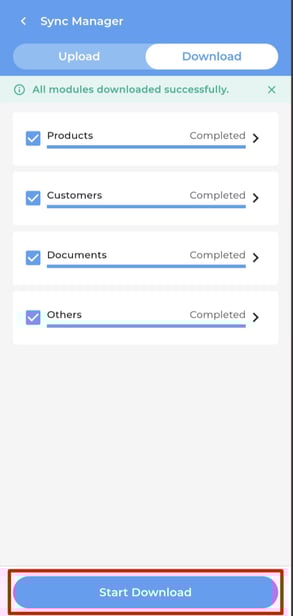
At the Home page, go to Settings > Sync Manager > Download to press the Start Download once.
-
After redownload, check whether the product appears.
Step 2: Check the product status in the accounting system
-
The product visibility is controlled by the accounting system and synced to Boostorder Cloud.
-
Ensure the product is marked Published in the accounting system
Step 3: Check the product is having UOM in the accounting system
-
Unit of Measurement (UOM)
The Boostorder Syncer service will not sync products without a UOM.
Make sure the product has a valid Unit of Measurement configured.
After updating the above, redownload again in the Download Page of the App.