
Before you start
Make sure you have:
- A personal Facebook account
- A new phone number
- A phone number that is not registered with WhatsApp
- A phone number that can receive SMS
Step 1: Create a Meta Business Portfolio
- Log in to Facebook: https://www.facebook.com/
- Go to Meta Business Settings: https://business.facebook.com/
- Click Create a business portfolio
- Fill in the required information
- If asked to add a Page, click Skip
- If asked to add a person, click Skip
- Click Next, then Confirm
Step 2: Give Boostorder developer access
- Go to: https://business.facebook.com/latest/settings
- Click People
- Click + Invite people
- Enter the email addresses provided by Boostorder
- Type one email address
- Press Enter
- Repeat for all email addresses
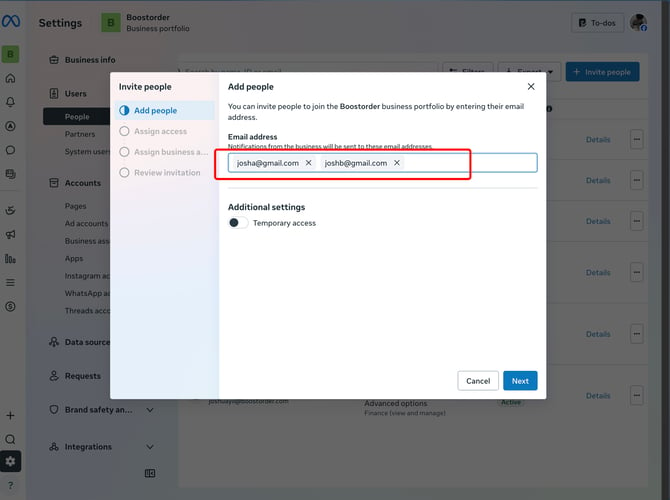
- Click Next
- Under Assign access, enable Full control
- Click Next
- Under Assign business assets, click Next
- Review the invitation
- Click Invite with 0 assets
Step 3: Add a payment method
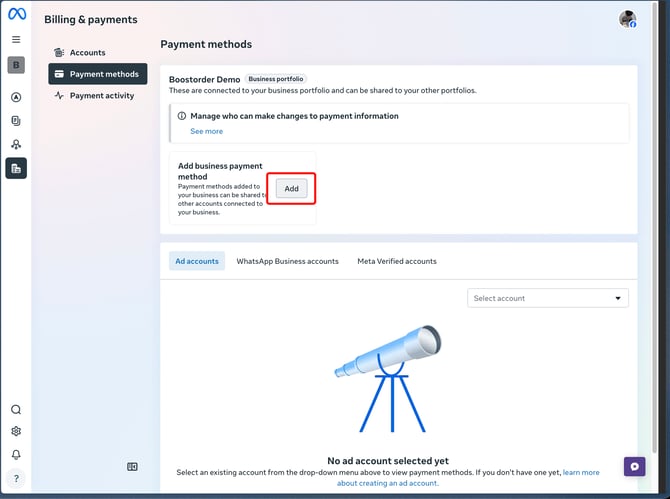
- Go to: https://business.facebook.com/latest/billing_hub/payment_methods
- Click Add business payment method
- Click Add
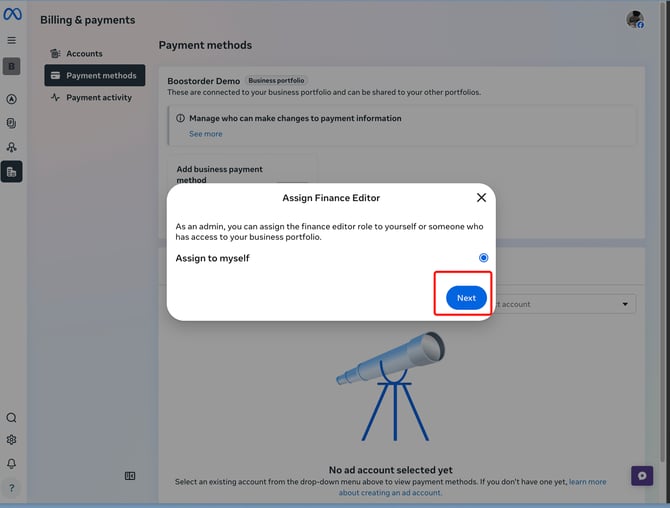
- If asked to assign a finance editor, click Next
- Select:
- Country: Malaysia
- Currency: Malaysian Ringgit
- Click Next
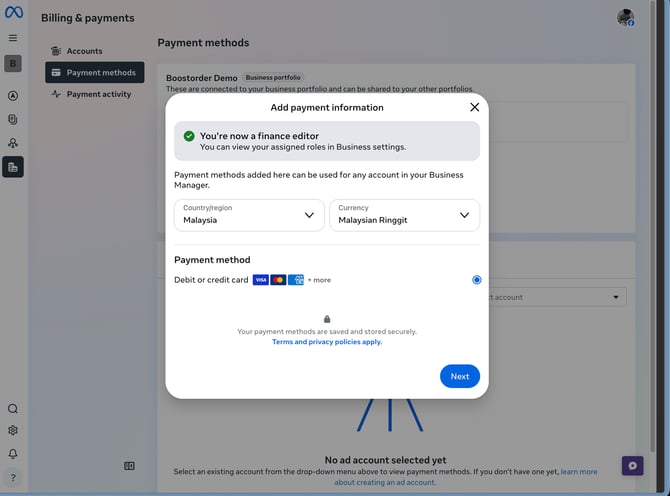
- Enter your card details and click Save
Important: Please use Visa or MasterCard only.
Once your card appears in the payment methods list, it has been added successfully.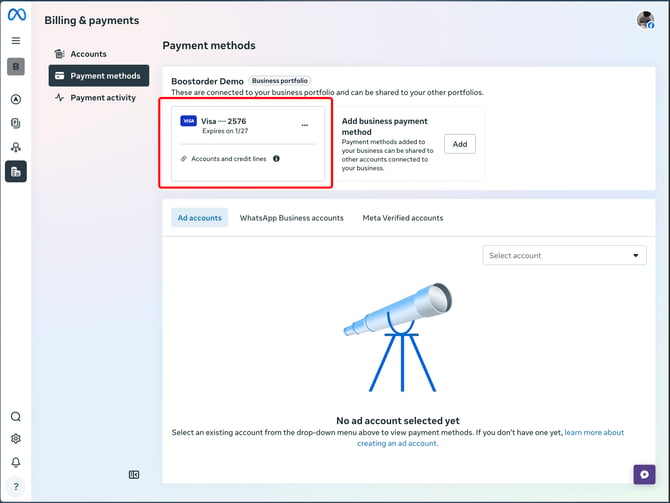
Step 4: Inform Boostorder team
After you have completed all the steps above, inform Boostorder team.
Our team will continue the setup from our side. During this process, we will request an OTP via SMS to verify the phone number. Please share the OTP with us when we contact you.