
In the e-Invoice, the number of items is not the same with the number of items from the invoice. What should I do?
Regenerate the e-Invoice
What if I want to edit the consolidated e-Invoice?
In order to edit the consolidated e-Invoice, you need to unconsolidate the e-invoice first, then reconsolidate the e-Invoice.
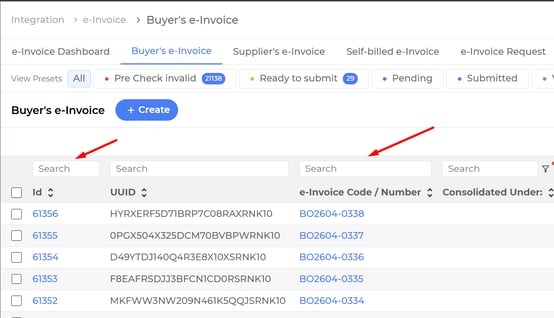
Go to Integration > e-Invoice > Buyer's e-Invoice, search for the consolidated e-Invoice, either by ID or e-Invoice Code.
Click on the ID or e-Invoice Code to view the consolidated e-Invoice detail.
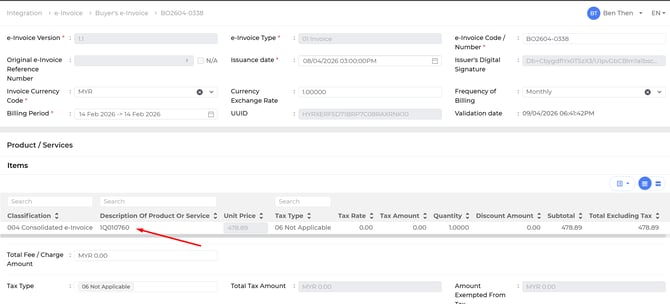
Scroll to the section of Product/Services. Under the column Description of Product or Service, record the number.
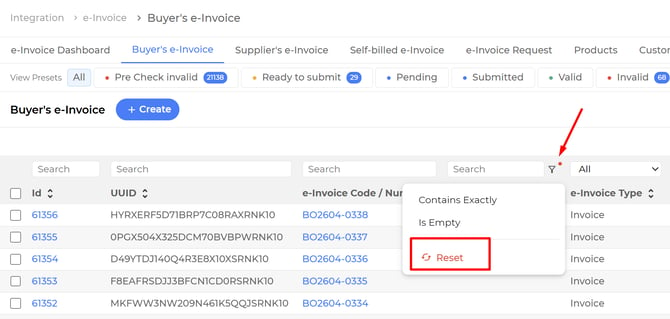
Go to Integration > e-Invoice > Buyer's e-Invoice, click on the filter icon, and click on the reset button.
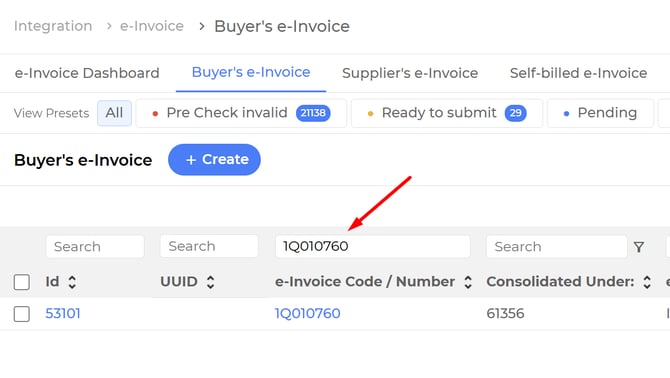
At the e-Invoice Code / Number column, paste the recorded number. Click on the ID to view the e-Invoice detail.
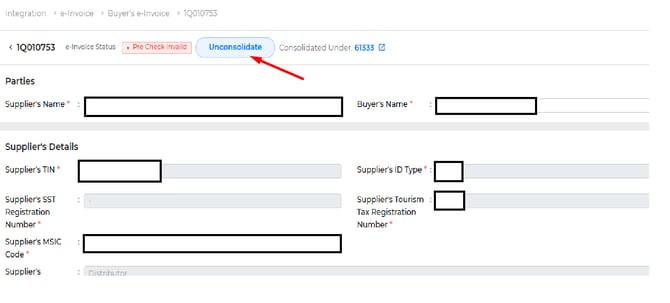
Click on the Unconsolidate button. (If there is no Unconsolidate button and the status is cancel, please reach out the support immediately)
Click on Confirm button.
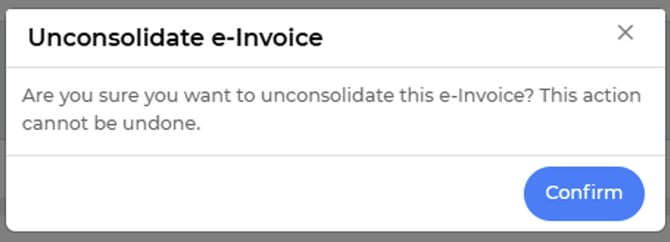
By doing this, you are able reconsolidate the edited e-Invoice again.
What should I do when unable to consolidate e-Invoice?
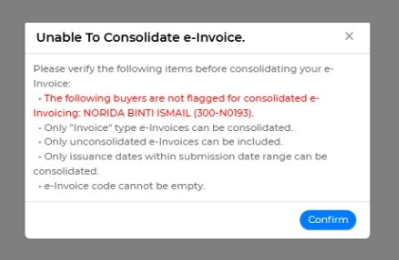
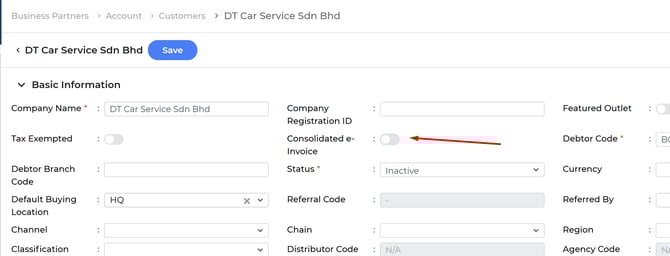
This is due to the consolidated e-Invoice status for the debtor listed in the error is not enabled.
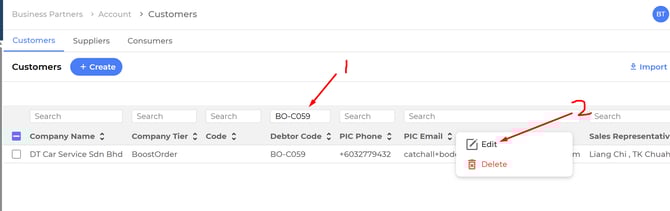
You may go to Business Partner > Customers, search for the debtor to consolidate e-Invoice.
What to do when there is duplicated submitted document when submitting e-Invoice?

Boostorder Syncer will help to resolve this issue, you may wait for a while and check the e-Invoice again.