
Duplicate external SKU and external UOM
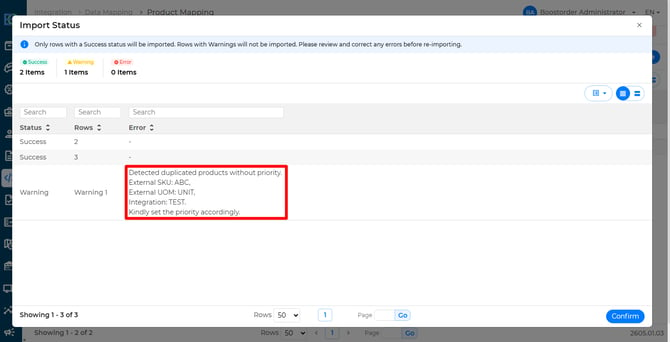
Why: This is due to under the same integration, there are two products which share the same external SKU and external UOM.
In the excel, it should look like this:
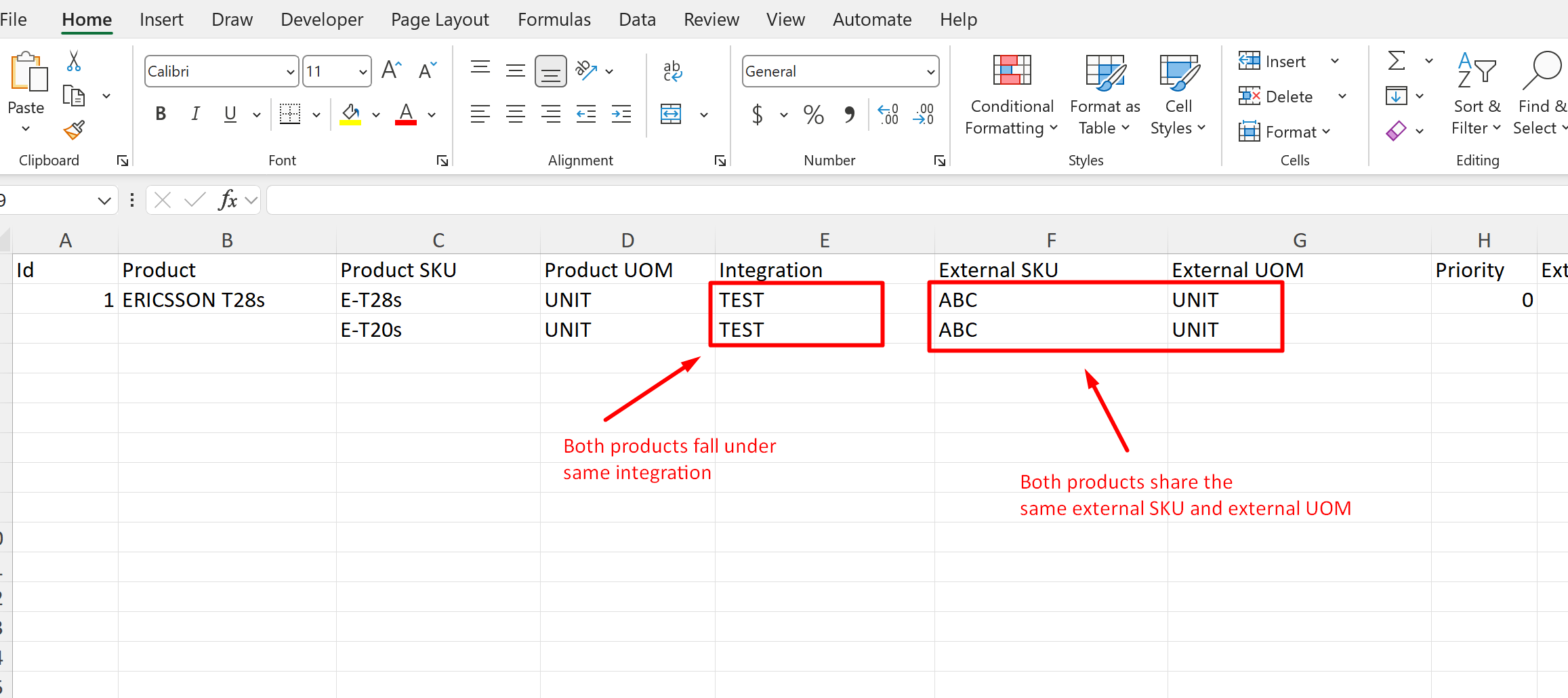
Solution: Check the external SKU and external UOM belongs to which product, and reimport the product mapping again.
Unable to find products
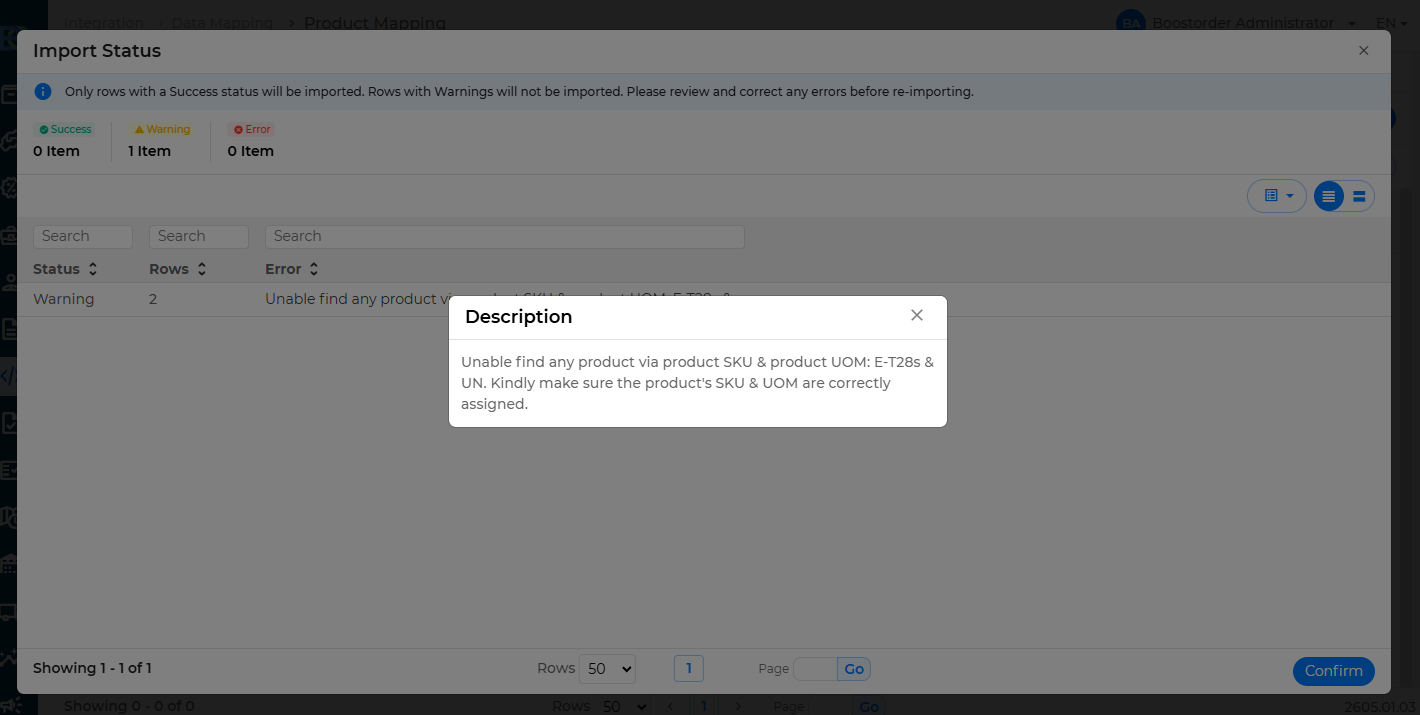
Why: This is due to either the product SKU is wrong, or the product UOM is wrong.
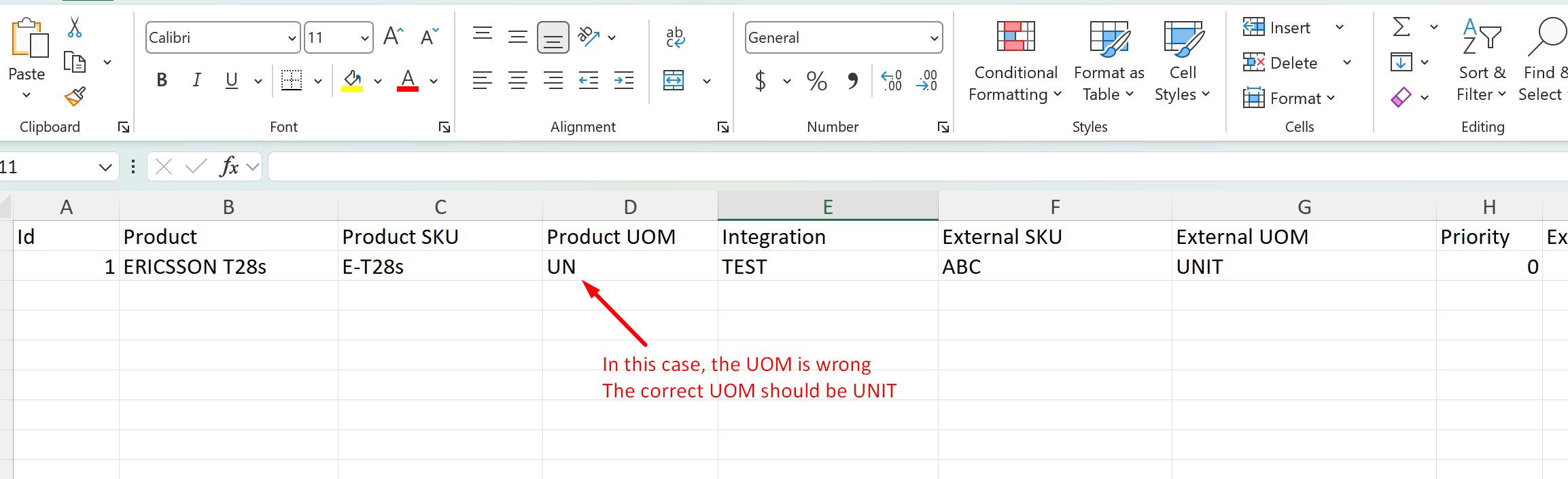
Solution: Double check the product SKU and product UOM in the excel.
Row is skipped due to duplication
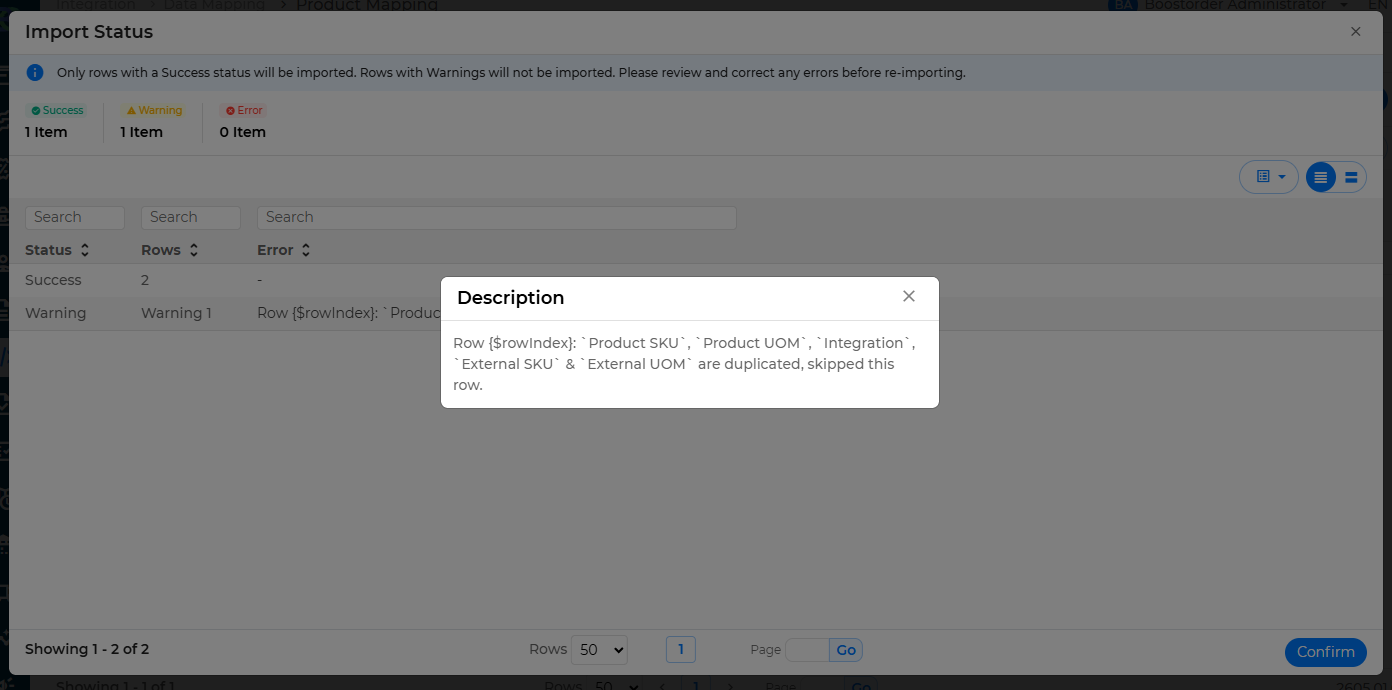
Why: This is due to there are more than 1 row that has exactly the same data.
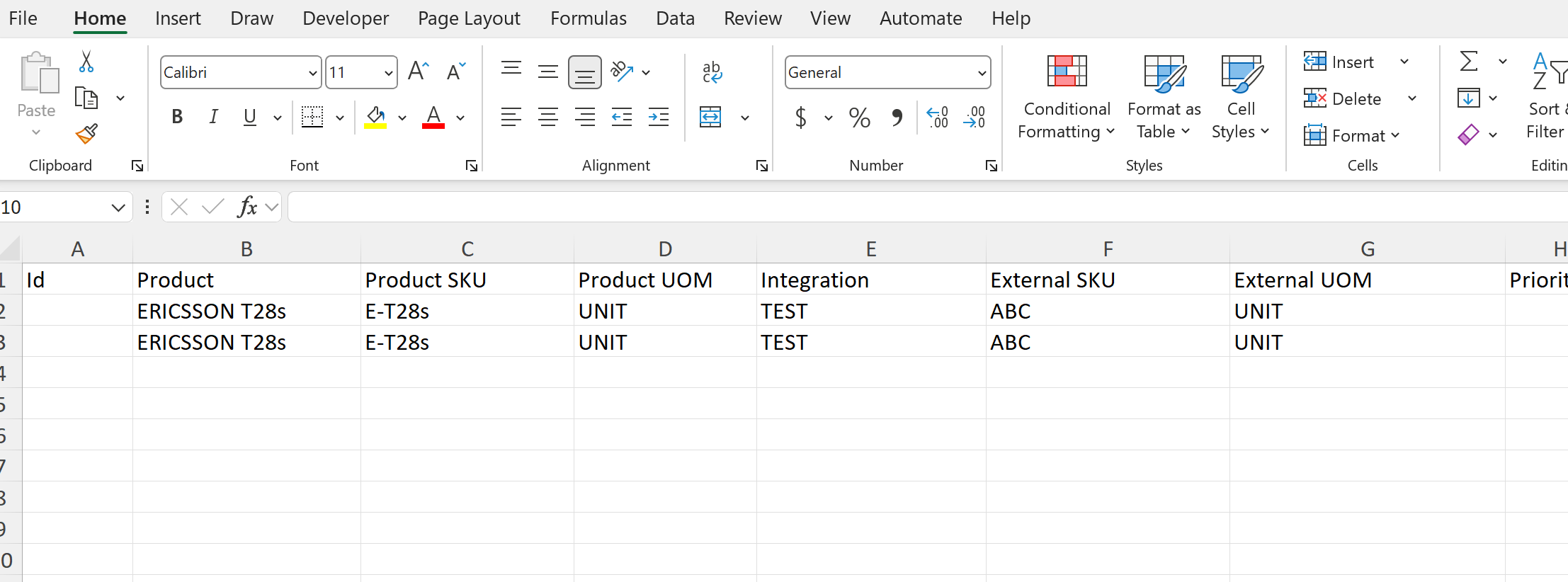
Solution: Ignore this warning, as the system will skip the duplication.